← Help Centre / Invoices & Payments
Create, issue and download an invoice
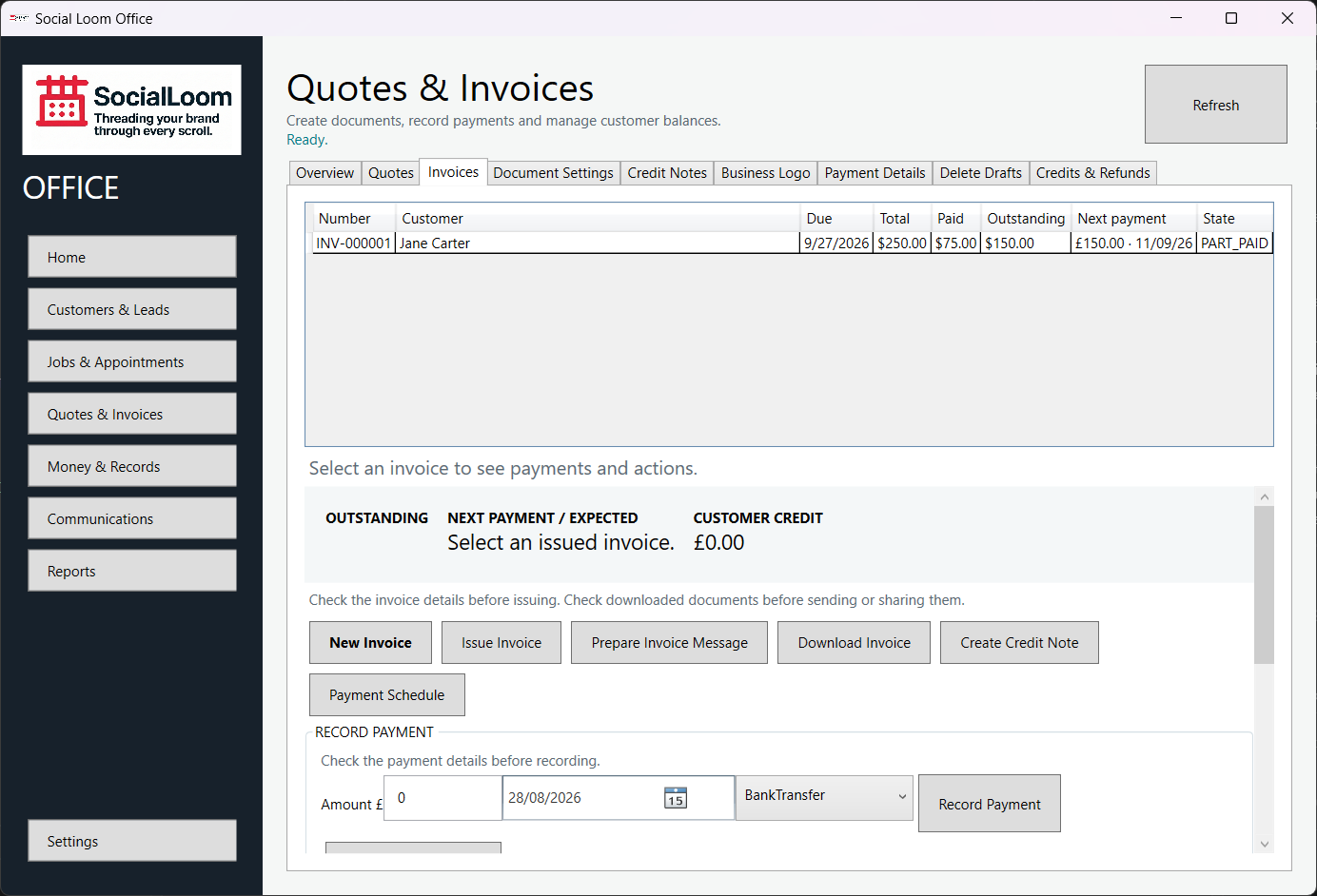
Check the invoice details before issuing and check the downloaded document before sharing it. Corrections to an issued invoice use a Credit Note.
- Open Quotes & Invoices > Invoices and choose New Invoice.
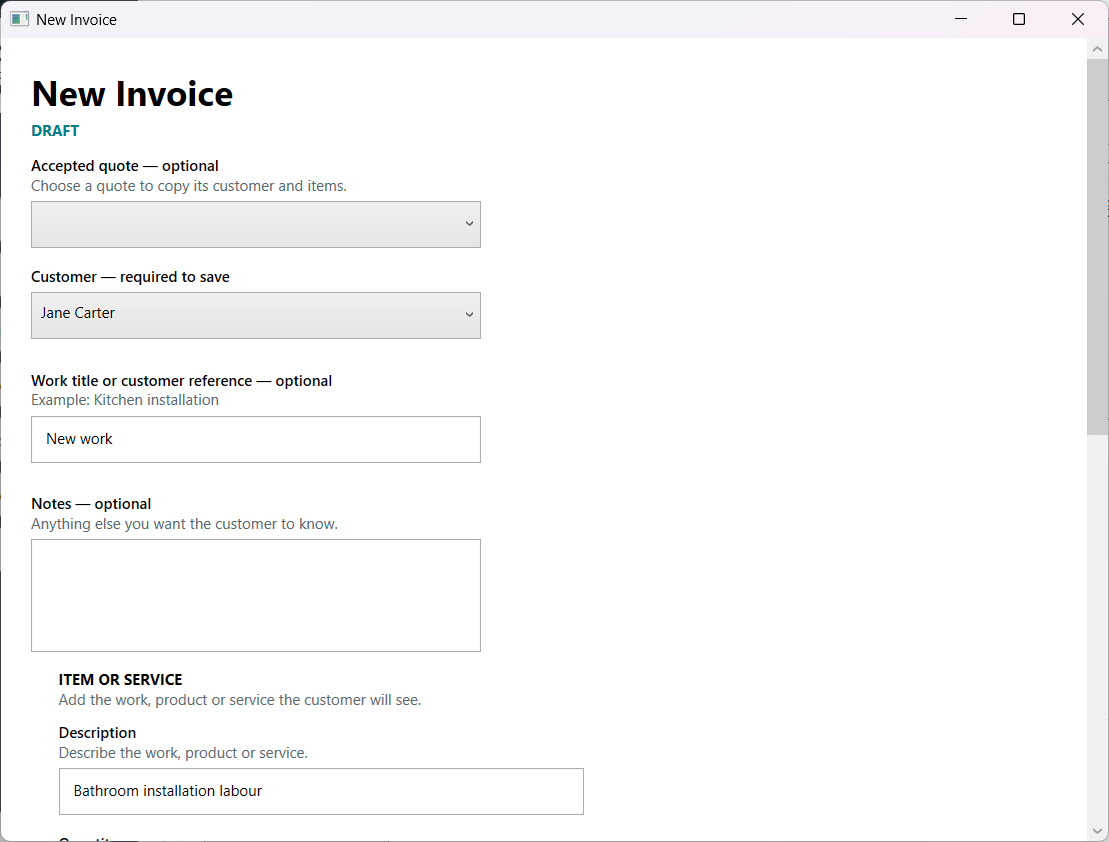
- Choose the customer or accepted quote, then add the dates and items.
- Save the draft and resolve any Needs Details items.
- Check the customer, total and VAT where relevant.
- Choose Issue Invoice, then download the exact PDF when needed.