← Help Centre / Backups & Recovery
Back up, restore and use a Recovery Key
Social Loom does not keep a copy of the Recovery Key. Losing both the PC and key can make the encrypted data unrecoverable.
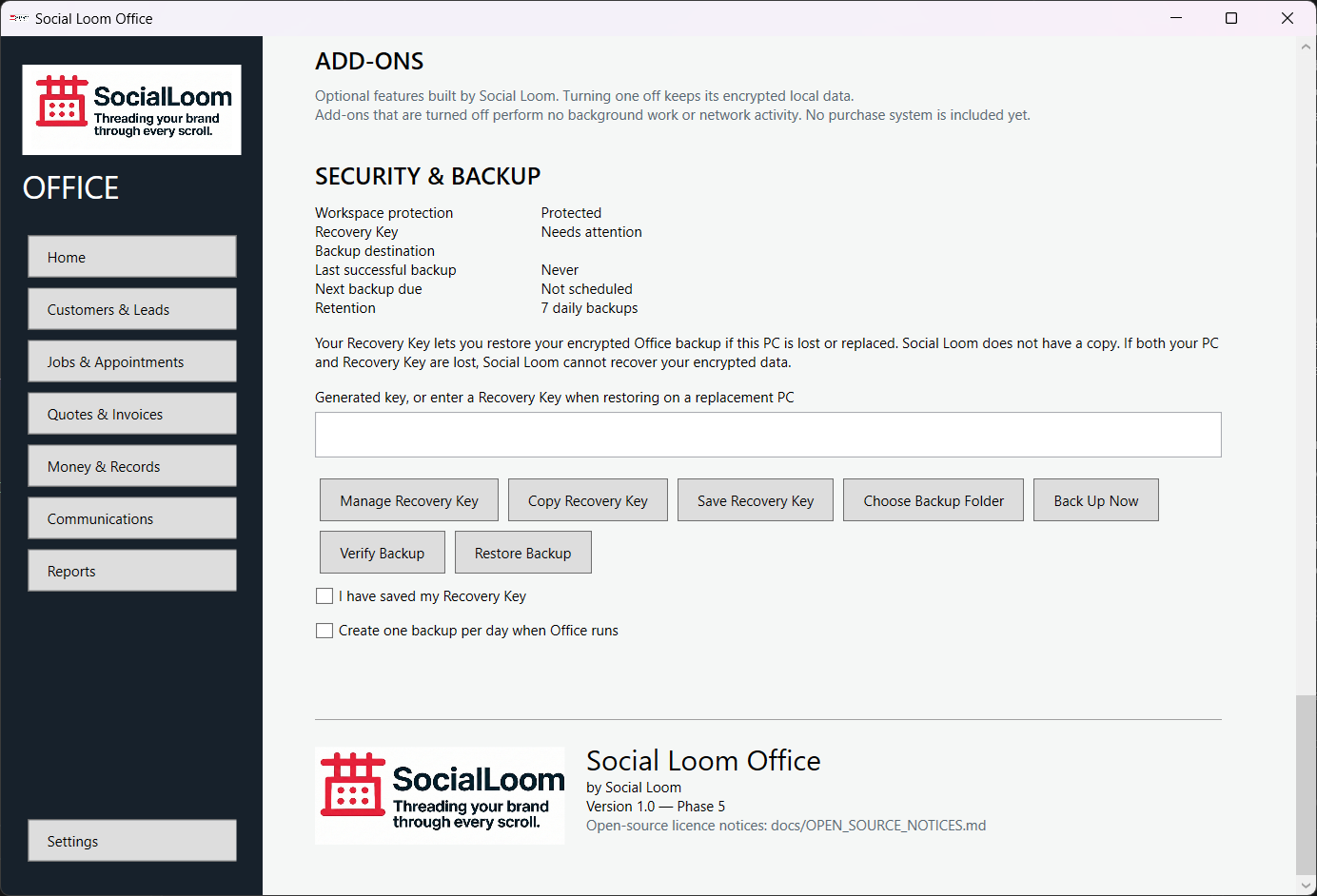
- Open Settings > Security & Backup.
- Generate the Recovery Key and save it somewhere separate from this PC.
- Choose a backup folder and choose Back Up Now.
- Use Verify Backup to check a copy.
- On replacement/restored Office, choose Restore Backup, select the backup and enter the matching Recovery Key.